Changelog
Follow up on the latest improvements and updates.
RSS
Thank you for using Bass Machina on a regular basis.
We would like to inform you about new features.
S3 data source added
Amazon S3 was added to the data source.
By registering an access key and secret key, you can upload a file (putObject).
Please check こちら for details on how to connect.
Notify when reviews are approved, rejected, and completed
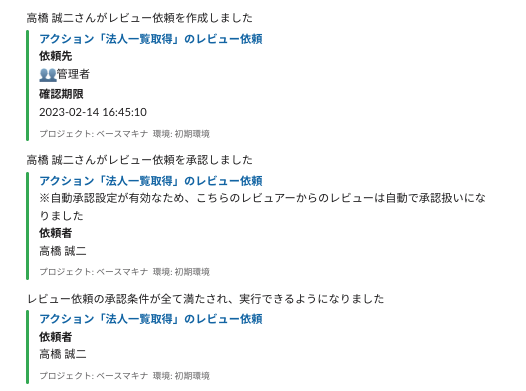
Until now, notifications have been sent when a review request has been created.
Now, in addition to the time of creation, notifications will also be sent when approved/rejected, and when all conditions have been met and the review is completed.
The layout when displaying tables has been changed
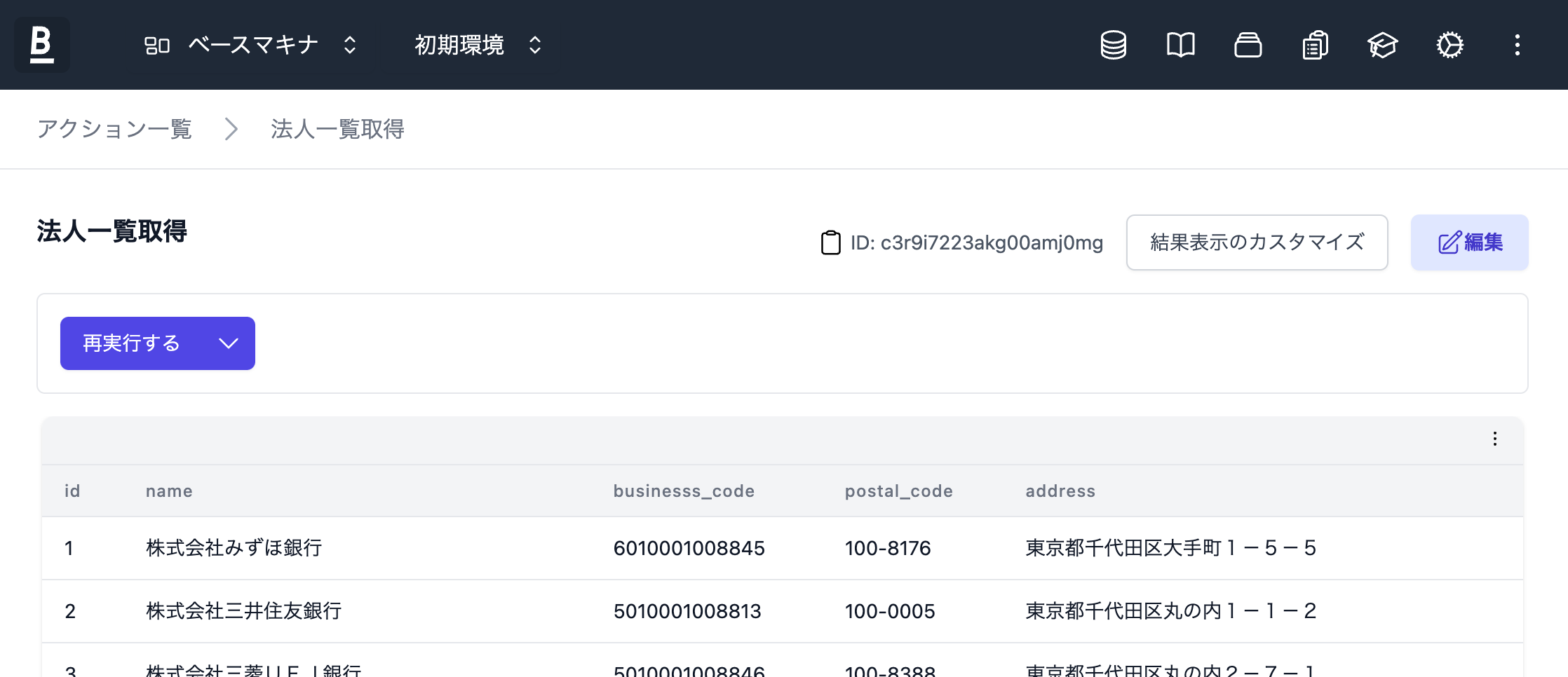
The table UI for list display has been fixed.
Until now, the button for CSV download was displayed separately, but now it is integrated at the top of the table.
Login user information, group, and environment information can now be used in processing scripts.
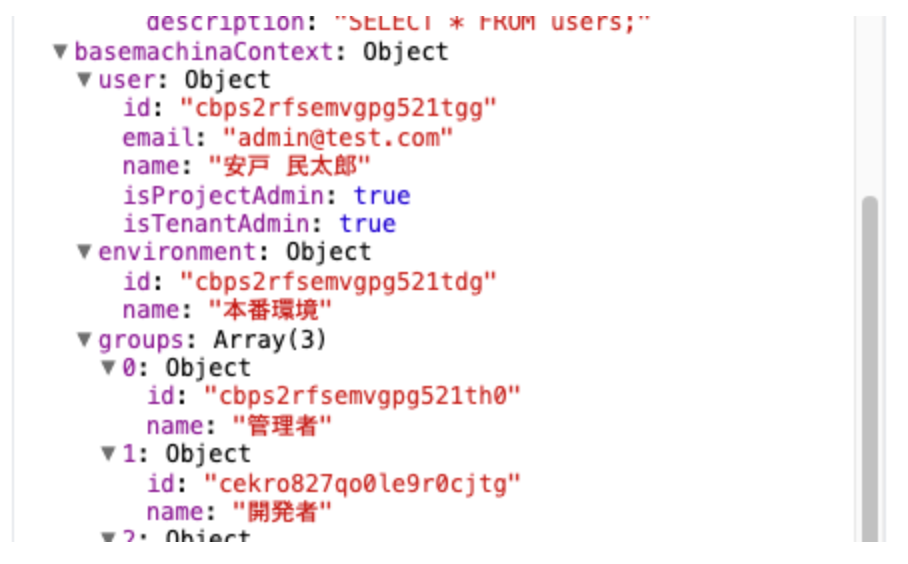
Using the value
baseMachinaContext
, it is now possible to obtain base machina usage status/setting information in processing scriptsbaseMachinaContext
contains the following information.- user(information about the logged-in user)
- environment(information about the environment currently being used)
- groups(information about groups the logged-in user belongs to)
The groups I belong to are displayed in the project member list table.
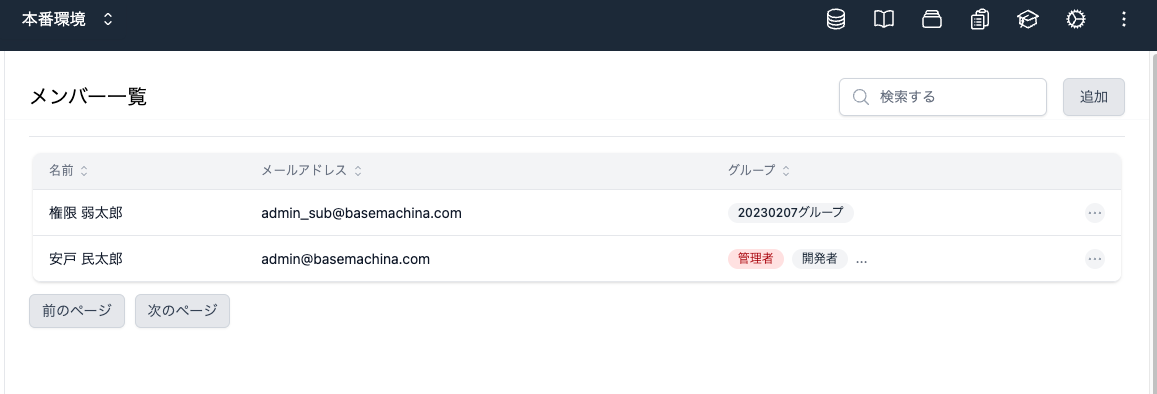
The project member list table, which until now displayed permission information in the categories of whether they are administrators or regular users, has been corrected.
From now on, groups to which each user belongs will be displayed.
Minor feature fixes
- Fixed an issue where the conductors for normal users to transition to the job execution history were hidden.
- Fixed an issue where an error occurred when parentheses were used in parameter names in Firestore actions and JavaScript actions.
- The maximum number of characters that can be set for action descriptions has been raised.
- Fixed the place where the value is 0 by default when no value is entered, so that it is an empty value.
Thank you for using Bass Machina on a regular basis.
We would like to inform you about the new features.
Reorder parameters
Action parameters can now be rearranged.
Please use it in cases where you want to move a parameter added later next to an existing parameter with a similar meaning.
Up and down arrows are displayed on the right side of the parameter setting form, so
Click the arrow in the direction you want to change the order.
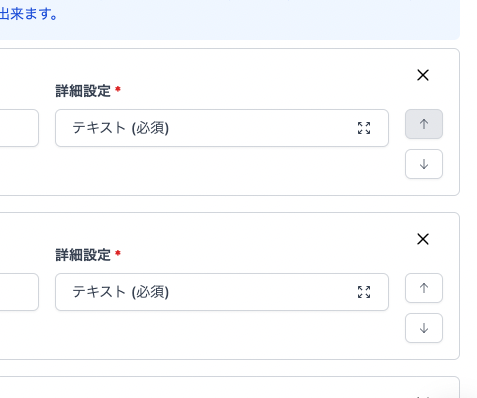
Action Parameter Descriptions
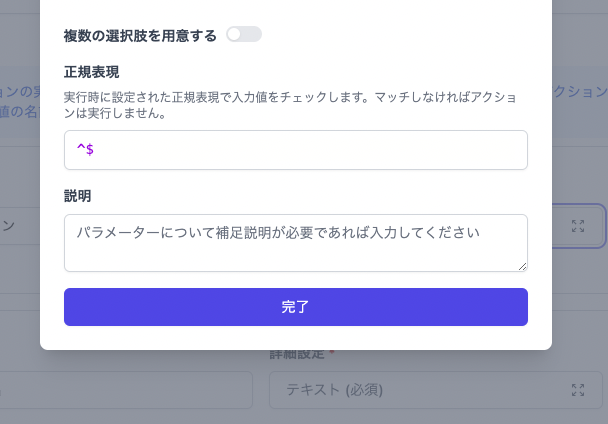
You can now set descriptive text for actions and parameters.
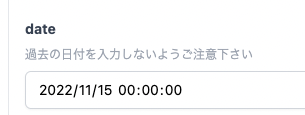
Please use it when run-time precautions are required or when you want to supplement input rules for specific parameters.
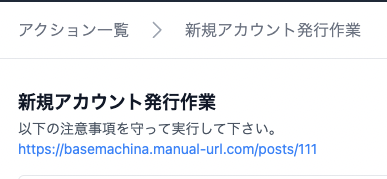
Explanatory text for each parameter can be set from the modal displayed by clicking “Advanced Settings”.
Also, if the URL is included in the description, the link can be opened in a separate tab.
Video display
Videos can now be played in the same way as images.
The value of the action execution result is a URL string, and if it is a video extension or a link to a video distribution service, the video viewer is displayed.

These are the details of this release.
We will continue to reflect the feedback we have received and develop new features.
We look forward to your continued support of Bass Machina.
We'll let you know about new features.
Environment switching function added
Environment switching function
has been added so that action settings can be reused in multiple environments such as “development environments” and “production environments.”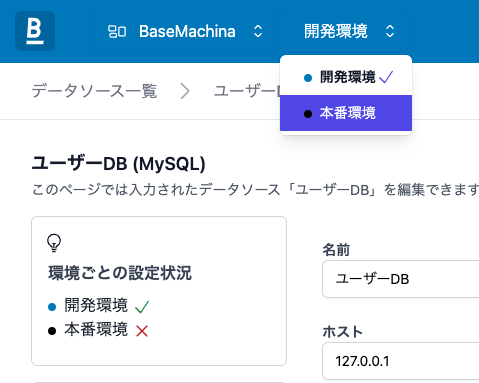
Details about this content are described in 環境切り替え機能のドキュメント.
If you have any questions about this feature, please feel free to contact us.
We look forward to your continued support.
fixed
bridge
2022/09/15 - bridge Release Note
Bridge v1.0.7 has been released.
This version is a release compatible with the CVE-2023-37434 fixes.
The details of the changes are as follows.
* Updated to Alpine v1.16.2
* Updated to Go 1.19.1
Thank you for your continued support.
Hello everyone 👋
We'll let you know about new features.
Add a boolean parameter
A “true or false value” parameter that can be input in check box format has been added to the action.
You can set the true value and the false value respectively and use them within the action.
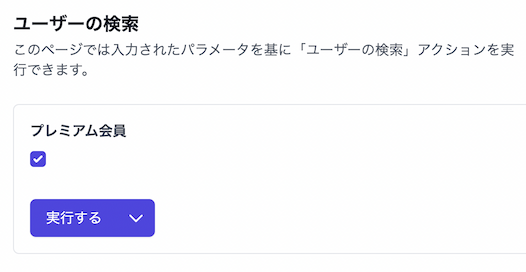
Details about this content are described in パラメーターのドキュメント.
Added a link function to an external URL
A
linkTourl
function for linking to an external URL was added to the action's result processing script.You can use it when you want to add a title to a link in an external URL.
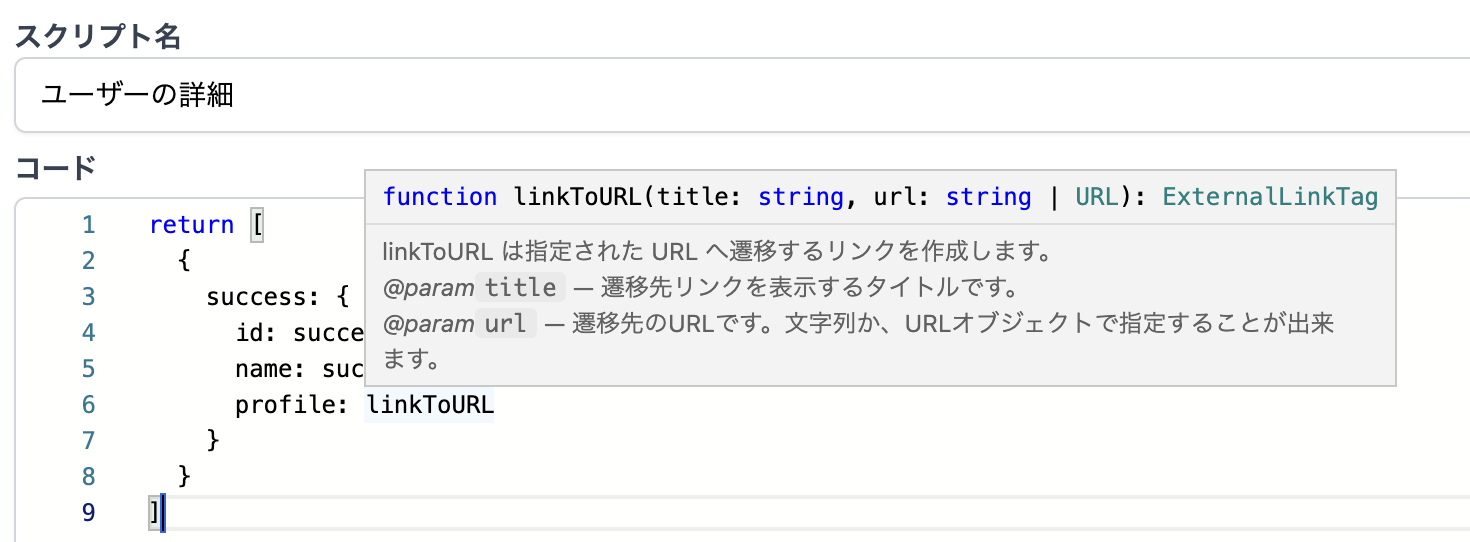
Details about this content are described in 任意のURLへ遷移する.
That's all for today's release.
We look forward to your continued support.
Hello everyone 👋
We would like to inform you about the new features released today.
Firestore (Datastore) action added 🎉
We've added new actions that can be used to operate Firestore and Firestore's Datastore mode!
Firestore action settings are described as JavaScript code.
Since the SDK provided by Google can be used, complex operations such as transactions can also be registered as actions.
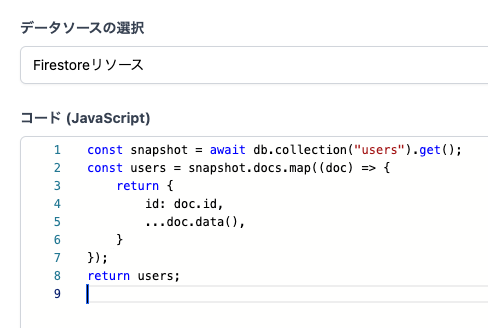
The content of this book is described in Firebase (Datastore) との連携のドキュメント, so please refer there for details.
We look forward to your continued support.
new
fixed
2022/05/11 - Release Note
Hello everyone 👋
We'll let you know about new action features.
Add GraphQL to HTTP API request types
GraphQL has been added to the HTTP API (previously called REST API) request type.
Now you can use it more easily to communicate with GraphQL servers! 🎉
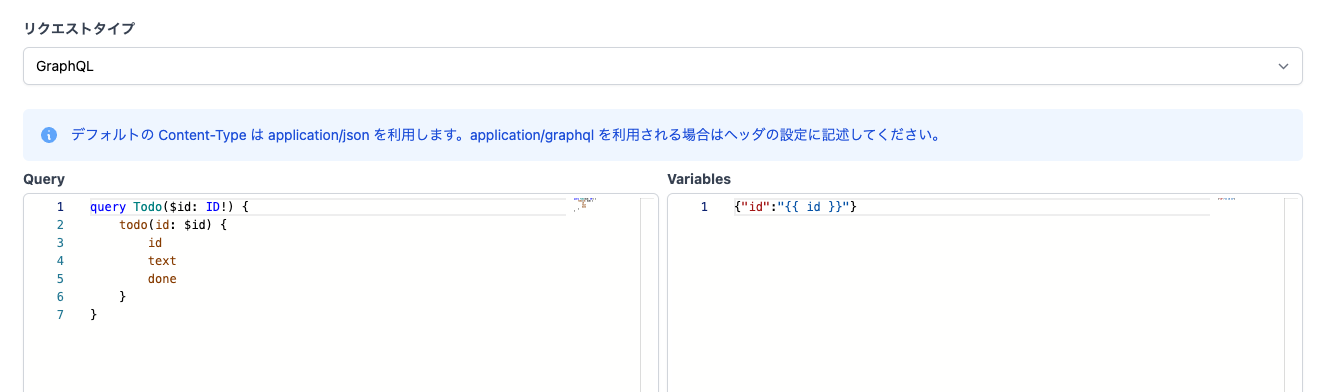
The content of this book is described in HTTP API との連携のドキュメント, so please refer there for details.
Bug fixes
Additionally, the following bugs have been fixed in this release.
- If the first element in the HTTP API action execution result array is null, the result processing script cannot be edited (https://basemachina.canny.io/bug/p/http-apinull)
That's all for today's release.
We look forward to your continued support.
Hello everyone 👋
A new function was added to the result processing script.
URL parameters can now be used in result processing scripts
Action 結果の加工スクリプト now allows URL parameters to be used using the getURLSearchParams function.
Others
Fixed a few minor bugs.
Thank you for your continued support.
new
improved
2022/04/07 - Release Note
Hello everyone 👋
We'll let you know about new action features.
LinkToAction supports formats other than “system values”
The transition function linkToAction between actions, which can be used in action 結果の加工スクリプト, now supports formats other than “system values”.
Other types of parameters, such as “text” and “numeric values,” can now also be used to receive values during transitions. (However, “files” are not eligible)
Support for transitioning to another action group
A new linkToActionGroup function has been added, making it possible to transition to another action group.
Like
LinkToAction
, transitions with parameters are possible.Details on how to use it are described in ドキュメント.
Thank you for your continued support.
Hello everyone 👋
We've fixed a few bugs in today's release.
Also, there was an error in the plan details described in the LP, so I will let you know here.
About setting permissions for actions
An action permission setting item was posted in the personal plan details, but since 1 person cannot enjoy the benefits of this function, it was correct that they could not use it.
As a response, the use of this function will be changed to a form where it can be activated with a team plan or later.
We apologize for the fact that the function content was different from the one shown.
Bug fixes
The following bugs have been fixed.
- Fixed an issue where only “Read & Write” could be selected in the Google Sheets data source settings (https://basemachina.canny.io/bug/p/google)
- Fixed an issue where nothing was displayed on the screen when trying to set permissions for actions in the Personal Plan (https://basemachina.canny.io/bug/p/personal)
- Fixed an issue where it was possible to specify capital letters that cannot originally be used for corporate account subdomains (https://basemachina.canny.io/bug/p/55159e)
That's all for today's release.
We look forward to your continued support.
Load More
→